Hood Warfare 2 Steam Deck: Does It Run Well?
Learn how Hood Warfare 2 performs on Steam Deck, the best Proton settings, expected battery life, and tips to fix lag spikes before you drop in.
Hood Warfare 2 exploded onto Steam in early October 2026, pulling more than 11,000 concurrent players within days of launch. But if you're part of the handheld crowd, you're probably wondering whether Hood Warfare 2 on Steam Deck actually works. The short answer: yes, and community reports suggest it runs surprisingly well for a brand-new multiplayer FPS. The slightly longer answer involves one tweak in Proton settings and realistic expectations about occasional lag spikes. This guide walks you through everything you need to know before spinning the block from your couch.
What Is Hood Warfare 2?
Hood Warfare 2 is a chaotic multiplayer FPS developed by Trap$tar and released on October 8, 2026 — nearly four years after the original Hood Warfare. The premise is simple: rival gangs fight for control of Chicago. You pick a side, customize your weapons, and battle other players across a variety of fast-paced game modes that include everything from snipers and claymores to drive-by shooters.
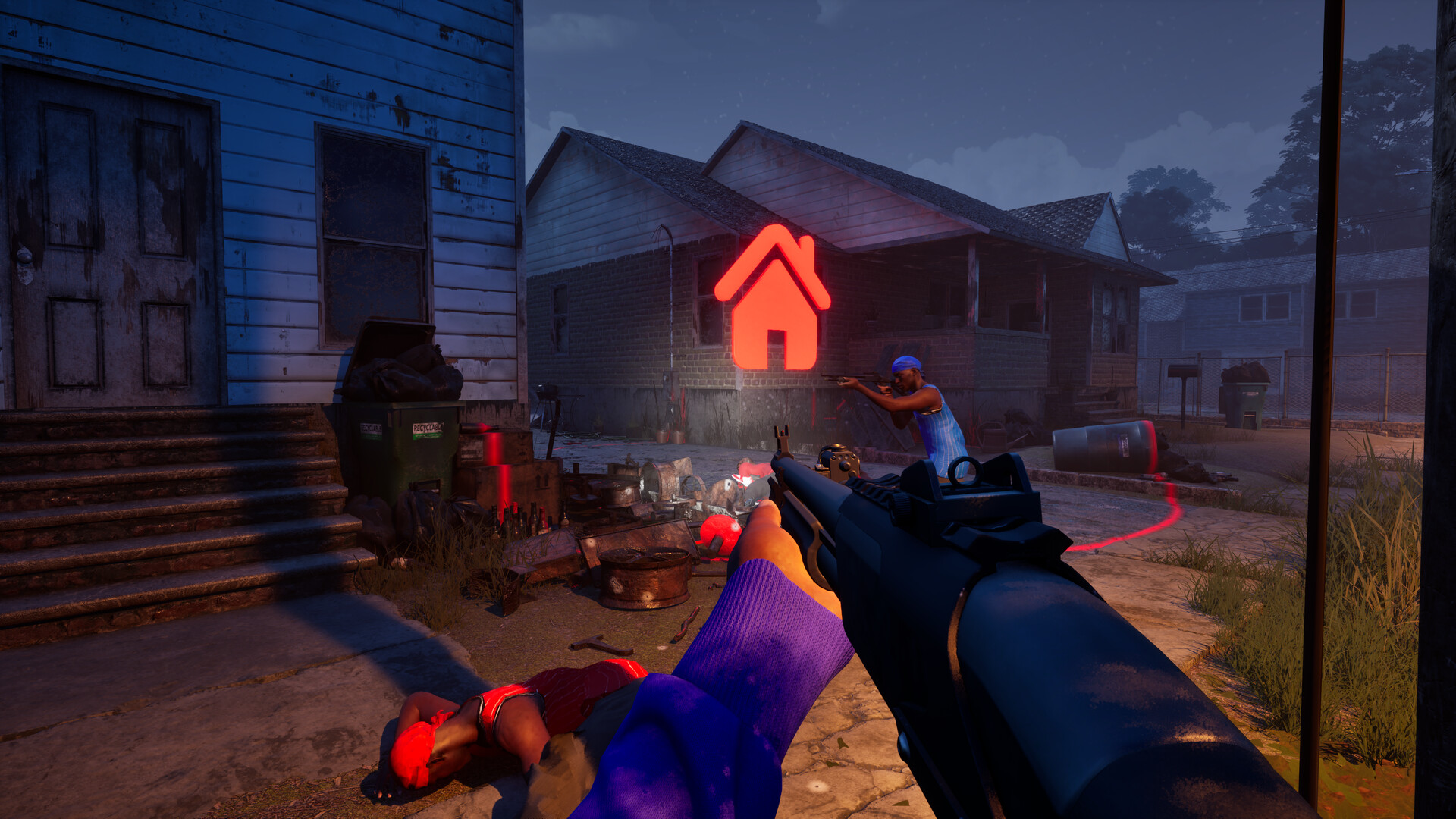
Official screenshot · Source: Steam store
At $5.99 (currently discounted to $5.39), it's one of the cheapest multiplayer shooters on Steam, which partially explains why it went viral so quickly. Community reaction has been mixed but energetic — some players call it a breath of fresh air, while others have criticized its tone and technical polish. Either way, the player count speaks for itself.
Quick Facts at a Glance
| Detail | Info |
|---|---|
| Release date | October 8, 2026 |
| Price | $5.99 (often discounted ~10%) |
| Genre | Multiplayer FPS |
| Developer | Trap$tar |
| Engine | Unreal Engine 5 |
| Concurrent players at launch week | 11,000+ |
| Steam Deck status | Playable per community reports |
Hood Warfare 2 Steam Deck Compatibility: The Current Verdict
Here's the catch: Hood Warfare 2 is so new that Valve hasn't assigned it an official Verified/Playable rating yet. However, ProtonDB — the community database that tracks how games run on Linux-based systems — already has early reports, and the signs are encouraging.
One player testing on an AMD Radeon RX 6600 desktop system running Arch Linux reported that the game "runs fine with no issues," though they experienced occasional large lag spikes during gameplay, likely due to the game being unoptimized at launch. Crucially, their tinker steps were minimal: simply switching to Proton Experimental made it "run perfectly fine."
What the Early Reports Tell Us
| Factor | Community Finding |
|---|---|
| Boot behavior | Launches and runs under Proton Experimental |
| Stability | No crashes reported in early testing |
| Performance | Occasional lag spikes, attributed to launch-era optimization |
| Configuration effort | One change: force Proton Experimental in properties |
| Anti-cheat | Newly added in patch 1.0.10; Proton compatibility worth monitoring |
Since the Steam Deck runs SteamOS (a Linux distribution), it uses the same Proton translation layer as the desktop Linux reports above. That's a strong signal the handheld experience should be similar, though you should expect some variance until more Deck-specific reports roll in.
How to Set Up Hood Warfare 2 on Steam Deck
Getting into the game takes about two minutes. Follow these steps:
- Install the game from your Steam library as usual.
- Open Properties (gear icon on the game's library page).
- Under Compatibility, check "Force the use of a specific Steam Play compatibility tool."
- Select Proton Experimental from the dropdown.
- Launch the game and test in a private or bot match if available.
- Cap your frame rate to 60 FPS (or 40/45 for battery savings) in the quick access menu.
Recommended Deck Settings Starting Point
| Setting | Suggested Value | Why |
|---|---|---|
| Proton version | Experimental | Confirmed working in community reports |
| Frame limit | 60 FPS | Small maps favor high, stable frames |
| Graphics preset | Medium/Low | UE5 is demanding on mobile chips |
| Battery TDP limit | 8–10W | Extends sessions without major visual loss |
| Native resolution | 1280x800 | Avoids upscaling artifacts in fast fights |
Because the game targets short time-to-kill on small maps like Supermarket, consistent frame pacing matters more than raw visual fidelity. Locking your frame rate smooths out the stutter you might otherwise notice.
Performance Expectations and Battery Life
Based on player experience with comparable UE5 multiplayer shooters on the Deck, here's a realistic outlook. Treat these as estimates until broader community testing confirms them:
| Scenario | Estimated Performance | Estimated Battery Drain |
|---|---|---|
| Low settings, 40 FPS cap | Smooth, playable | ~8–10W (3–4 hours) |
| Medium settings, 60 FPS cap | Mostly smooth, occasional dips | ~10–13W (2–3 hours) |
| High settings, uncapped | Not recommended | Heavy drain, thermal throttling risk |
The lag spikes mentioned in the ProtonDB report may improve as the developer releases patches. The team has already been unusually responsive — patch 1.0.10 shipped voice chat, an anti-cheat system, spawn protection, and over ten bug fixes within days of launch. That pace of updates is a good sign for long-term Deck stability.
What's New in Hood Warfare 2 (And Why It Matters for Deck Players)
The game's rapid post-launch patching directly affects handheld players:
- Anti-cheat added (patch 1.0.10): Anti-cheat systems are historically the biggest risk for Linux/Proton compatibility. So far, community reports indicate no blocking issues, but this is the one component to watch. If Valve's Proton team adds official support, you'll see it in future patch notes.
- Voice chat: Now built in, which works on Deck via the built-in mic and headphones.
- Spawn adjustments and spawn protection: Fewer instant deaths means less frustration when playing on a smaller screen.
- Loadout and progression fixes: Presets now save correctly, and match-end progression displays properly.
For context, the official Hood Warfare 2 Steam page is the best place to track future updates and check for any developer notes about controller or handheld support.
Playing an Online Shooter on a Handheld: Practical Tips
Hood Warfare 2 is a twitchy FPS where reaction time matters. If you're used to mouse and keyboard, keep these in mind:
- Use gyro aiming. Enable gyro on the right stick (or always-on with activation) — it dramatically closes the accuracy gap in fast shooters.
- Tweak your deadzones. The Deck's thumbsticks are fine, but tightening deadzones helps with micro-adjustments on small maps.
- Play docked for competitive sessions. If you're chasing leaderboards or grinding levels (like that first max-level account with a gold AK-47 that surfaced within days), a docked setup with a controller or mouse is more comfortable for long grinds.
- Use the Report feature. The developer explicitly asks players to report cheaters via the pause menu, and they review reports frequently.
Controller Layout Suggestions
| Action | Suggested Binding |
|---|---|
| Aim down sights | Left trigger (soft pull) |
| Fire | Right trigger (full pull) |
| Gyro aim | Touchpad, activate on aim |
| Push-to-talk voice | Left back grip button |
| Map/ping | Right back grip button |
Should You Buy It for Steam Deck?
At under six dollars, the barrier to entry is low. If you enjoy chaotic, arcade-style shooters and want something new to play on the couch, the early evidence suggests Hood Warfare 2 on Steam Deck is a solid — if slightly rough — experience. The combination of active development, a cheap price tag, and a functioning Proton setup makes it an easy recommendation for curious handheld players. Just go in expecting launch-jank, occasional lag spikes, and a community that's... very colorful in voice chat.
FAQ
Does Hood Warfare 2 run on Steam Deck?
Yes, based on early community reports on ProtonDB. The game runs under Proton Experimental with no major issues, though testers have noted occasional lag spikes likely tied to launch-era optimization. An official Steam Deck Verified rating hasn't been assigned yet.
What Proton version should I use for Hood Warfare 2 on Steam Deck?
Community testing points to Proton Experimental as the best option. Switch to it via the game's Properties > Compatibility menu. Most players report it runs "perfectly fine" with this setting.
How is the battery life when playing Hood Warfare 2 on Steam Deck?
Exact numbers vary, but based on comparable UE5 multiplayer shooters, expect roughly 2–4 hours depending on your settings and frame cap. Lowering the TDP to 8–10W and capping the frame rate at 40–60 FPS significantly extends play sessions.
Does the anti-cheat work on Steam Deck?
The anti-cheat added in patch 1.0.10 hasn't been reported as blocking Linux play so far, but this is the component most likely to cause future compatibility problems. Keep an eye on patch notes and ProtonDB reports if the game suddenly stops launching.
Related Guides
Hood Warfare 2 Controller Support: What Works in 2026
Does Hood Warfare 2 have controller support? Here's what Xbox pads, Steam Input, and Steam Deck players need to know before grabbing the game.
Hood Warfare 2 Crossplay: Platform Support Explained (2026)
Does Hood Warfare 2 support crossplay? We break down platform availability, PC specs, controller support, and what cross-platform play could look like.
Hood Warfare 2 MacBook: Can You Play It in 2026?
Is Hood Warfare 2 playable on a MacBook? Native support, cloud gaming, and workarounds explained for Mac players in 2026.
Hood Warfare 2 Mobile: Is It on iOS & Android Yet?
Hood Warfare 2 mobile isn't available yet. Here's what the game is, where you can play it, and the best mobile FPS alternatives right now.