Hood Warfare 2 Controller Support: What Works in 2026
Does Hood Warfare 2 have controller support? Here's what Xbox pads, Steam Input, and Steam Deck players need to know before grabbing the game.
Does Hood Warfare 2 Have Controller Support?
If you're a pad player wondering about Hood Warfare 2 controller support before dropping cash on Trapstar Games' chaotic new FPS, the short answer is yes — with some caveats. The official Steam page explicitly lists "Xbox Controllers" among the game's supported features, and "Controller" is one of the most popular user-defined tags on the storefront. That's a good sign, but it doesn't tell the whole story about how well the game actually plays away from mouse and keyboard.
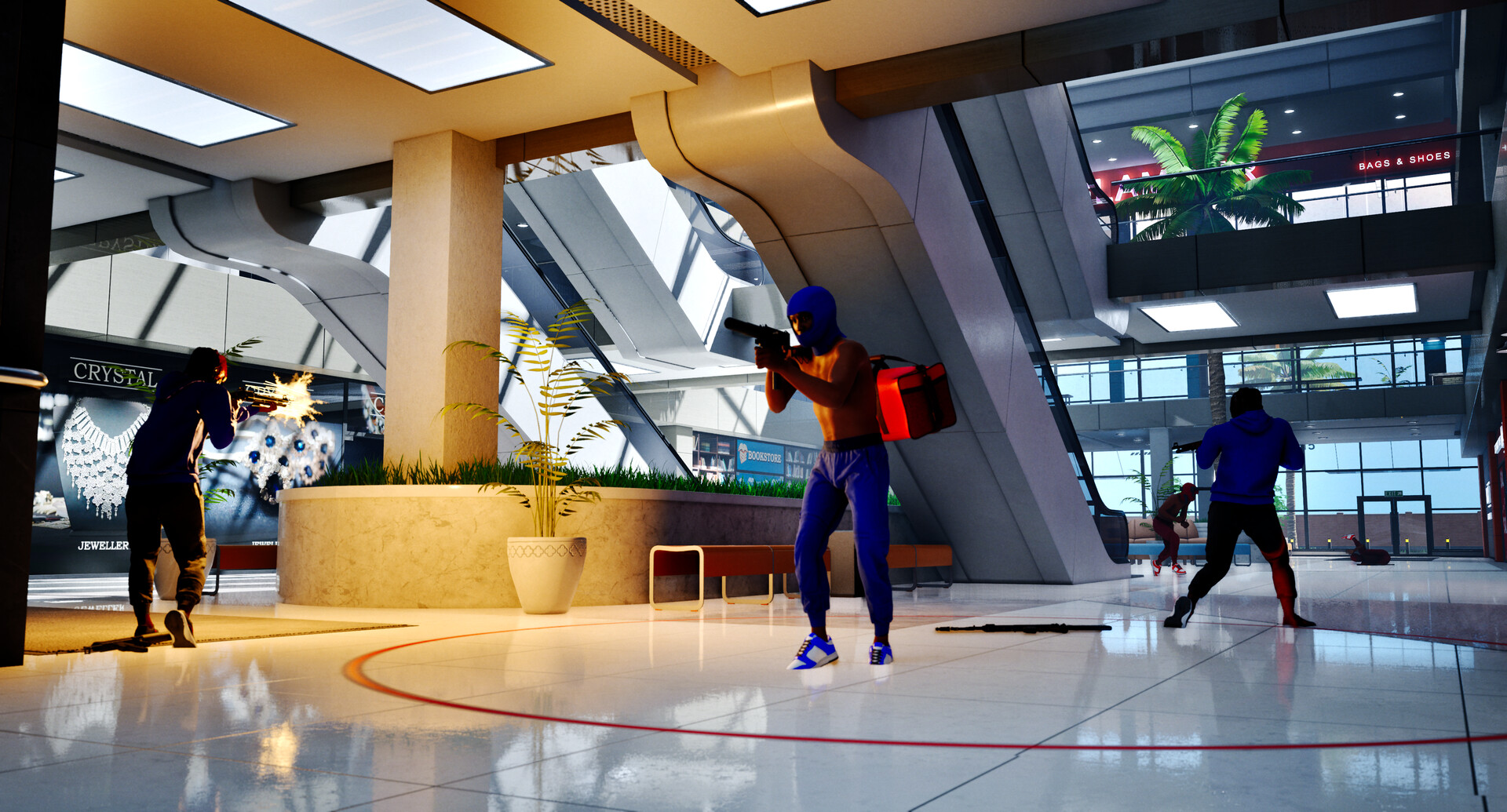
Official screenshot · Source: Steam store
Hood Warfare 2 launched on October 8, 2026, nearly four years after the original, rebuilt in Unreal Engine 5 with new maps, animations, and six game modes. Early reception has been Mostly Positive, with roughly 77% of the first 601 user reviews landing in favorable territory. Whether you're grinding Turf War or running plays in Destroy The Block, here's everything controller players should know.
The Official Word on Controller Compatibility
Let's start with what's confirmed. On the official Hood Warfare 2 Steam page, Trapstar Games lists the following platform-relevant details:
| Feature | Status at Launch |
|---|---|
| Xbox Controllers | Officially listed as supported |
| Controller (user tag) | Yes — community-tagged on Steam |
| Steam Deck Compatibility | Unknown |
| Full Controller Remapping | Not confirmed by developer |
| PlayStation Controller Support | Not officially listed |
| Partial Controller Support Flag | Not applied (listed as full feature) |
A few takeaways from that table:
- Xbox controllers are the safe bet. Native Xbox pad support means an Xbox Series X|S or Xbox One controller (wired or via the Xbox Wireless Adapter) should work out of the box on PC.
- Steam Deck status is "Unknown." That's not a "no," but it means Valve hasn't certified it, and the developer hasn't weighed in. Combined with the fact that the game requires Windows 10 64-bit or newer, this is currently a PC-only title with no Mac or Linux native build.
- PlayStation controllers aren't officially listed, though community reports for many Steam titles suggest DualShock 4 and DualSense pads often work via Steam Input even without native support.
How Controller Play Actually Feels
Since the game just launched days before this writing, long-term impressions are still forming. However, based on the game's design and what early players have shared, here's what controller users should realistically expect.
The Good News for Pad Players
Hood Warfare 2 isn't a twitch-precision tactical shooter in the Counter-Strike mold. Its Steam tags include "Funny," "Physics," and "Comedy" alongside "Tactical," and the gameplay centers on chaotic, close-to-mid-range firefights across maps like downtown Chicago, The Trenches, and Chicago Mall. That matters because:
- Slower aim requirements favor controllers. Chaotic multiplayer FPS combat with heavy physics interactions is far more forgiving on a thumbstick than pixel-precision gunplay.
- Aim assist existence is likely but unconfirmed. Most UE5 shooters ship with some form of controller aim assist, but Trapstar Games hasn't documented it yet. Player experience from launch week suggests tuning may still be in flux.
- Game modes are objective-driven. Modes like Turf War, Hit A Lick, and Chain Snatch reward positioning and map knowledge as much as raw aim, which levels the playing field for pad users.
The Rough Edges
Here's where honesty matters. Per community reports and the game's rapid patch cadence (Patch 1.0.10 dropped just four days after launch, adding voice chat and anti-cheat fixes), the title is clearly still being polished. Controller players should watch for:
| Potential Issue | Likelihood | Workaround |
|---|---|---|
| Limited button remapping options | Moderate | Use Steam Input to rebind |
| No controller-specific UI icons | Unknown | Cosmetic only, wait for patches |
| Aim assist tuning too weak/strong | Possible | Adjust sensitivity in-game if available |
| DualSense/DualShock not auto-detected | Moderate | Enable PlayStation config in Steam Input |
The developer has been transparent that "many updates will be coming soon," and the frequency of patches so far suggests controller refinements are plausible in future builds.
Setting Up Your Controller: Step-by-Step
Getting a pad running in Hood Warfare 2 is straightforward, especially with Xbox hardware. Follow this checklist:
| Step | Action | Notes |
|---|---|---|
| 1 | Connect your controller before launching the game | Steam detects pads at startup more reliably |
| 2 | Open Steam → Settings → Controller | Verify your pad appears under "Detected Controllers" |
| 3 | Enable Xbox Controller Support (or PlayStation/Nintendo as needed) | Global setting under Controller → General Settings |
| 4 | Launch Hood Warfare 2 and check the options menu | Look for control scheme or sensitivity settings |
| 5 | Test in a bot match | The game lets you fill teams with bots — perfect for pad practice |
| 6 | Fine-tune via Steam Input if in-game options are thin | Per-game layout overrides work well here |
That bot match step is genuinely useful. Because Hood Warfare 2 allows custom matches with adjustable settings and AI-filled lobbies, you can practice the control scheme against bots before jumping into online PvP against experienced players.
Steam Deck and Handheld Play: What to Know
This is the biggest open question for Hood Warfare 2 controller support coverage right now. The Steam Deck compatibility rating is listed as "Unknown," which typically means one of three things:
- The developer hasn't completed Valve's certification process yet — common for brand-new indie releases.
- Anti-cheat complications exist. The game uses Easy Anti-Cheat alongside a kernel-level anti-cheat solution. Historically, EAC requires developers to opt in to Linux/Proton support, which explains the missing Deck rating.
- Performance hasn't been validated against the Deck's hardware, which sits well below the game's recommended GPU (RTX 3060 Ti / RTX 4060 class).
If handheld play is your priority, the safest move is to wait for either a "Verified" or "Playable" badge on the Steam page, or for Trapstar Games to confirm anti-cheat compatibility with Proton. Attempting to force the game onto a Deck through compatibility tools is possible for tinkerers, but with kernel-level anti-cheat in the mix, expect friction — or outright blocks — until the developer signs off.
Controller vs. Mouse and Keyboard: Honest Comparison
Should you actually play this game on a pad? Here's a fair breakdown:
| Factor | Controller | Mouse & Keyboard |
|---|---|---|
| Out-of-box experience | Confirmed Xbox support | Native, always |
| Long-range engagements | Harder without confirmed aim assist | Strong advantage |
| Close-quarters chaos | Very comfortable | Also strong |
| Couch/living-room play | Excellent fit | Impractical |
| Objective modes (Hit A Lick, Chain Snatch) | Well-suited | Well-suited |
| Competitive ceiling | Lower (typically) | Higher |
The verdict: Hood Warfare 2 is a great candidate for casual controller play given its frantic, physics-heavy combat style, but if you plan to grind ranked-style lobbies or dominate Chain Snatch scoreboards, mouse and keyboard retains the edge in pure aiming precision — as it does in nearly every PC shooter.
Quick Facts Worth Knowing Before You Buy
Since you're evaluating the platform experience, a few purchase-relevant details:
- Price: $5.99 normally, with a 10% launch discount bringing it to $5.39 through October 15, 2026.
- Requirements: Minimum specs call for a GTX 1660 or RX 5600 XT with an i5-9600K or Ryzen 5 3600 — modest by modern standards.
- Anti-cheat: Both Easy Anti-Cheat and a kernel-level solution are active, added in the 1.0.10 patch.
- Play options: Online PvP with friends, or solo bot matches with custom rules.
- Content note: The game contains violence, blood effects, crude humor, and profanity, and the developers include a disclaimer clarifying it's fictional entertainment.
At under six dollars, the barrier to testing controller support yourself is about as low as it gets for a new Unreal Engine 5 multiplayer FPS.
Frequently Asked Questions
Does Hood Warfare 2 have full controller support on PC? Yes — the Steam page officially lists Xbox Controllers as a supported feature, and the community has tagged the game with "Controller." Xbox pads should work without extra software, while PlayStation controllers may function through Steam Input, though they aren't officially listed.
Does Hood Warfare 2 work on Steam Deck? Not confirmed. Steam Deck compatibility is currently listed as "Unknown," likely due to the game's kernel-level anti-cheat and Easy Anti-Cheat requiring developer opt-in for Linux support. Wait for a Verified or Playable rating before buying specifically for handheld play.
Can I play Hood Warfare 2 with a DualSense (PS5) controller? There's no official PlayStation controller support listed. However, many players report DualSense pads working in Steam games via Steam Input's PlayStation controller configuration — enable it under Steam's Controller settings and test in a bot match.
Is aim assist available for controller players in Hood Warfare 2? The developer hasn't documented aim assist as of launch week. Given the game is built in Unreal Engine 5 and targets a chaotic, accessible style of FPS combat, some form of controller aim assist is common in similar titles — but treat its presence and strength as unconfirmed until Trapstar Games details it in a patch note.
Related Guides
Hood Warfare 2 Crossplay: Platform Support Explained (2026)
Does Hood Warfare 2 support crossplay? We break down platform availability, PC specs, controller support, and what cross-platform play could look like.
Hood Warfare 2 MacBook: Can You Play It in 2026?
Is Hood Warfare 2 playable on a MacBook? Native support, cloud gaming, and workarounds explained for Mac players in 2026.
Hood Warfare 2 Mobile: Is It on iOS & Android Yet?
Hood Warfare 2 mobile isn't available yet. Here's what the game is, where you can play it, and the best mobile FPS alternatives right now.
Hood Warfare 2 PS4: Is It Coming to PlayStation? (2026)
Is Hood Warfare 2 on PS4 or PS5? We break down platform availability, PC requirements, pricing, and what console players can expect next.