Hood Warfare 2 How to Play: Beginner's Guide & Tips
Learn how to play Hood Warfare 2 with this beginner's guide covering all six game modes, maps, progression, system requirements, and pro tips.
If you just picked up Trapstar Games' chaotic multiplayer FPS and you're wondering about Hood Warfare 2 how to play basics, you've landed in the right spot. The sequel to the cult-favorite original launched on October 8, 2026, and it's already pulling in thousands of concurrent players on Steam with a "Mostly Positive" review score from the community. Rival gangs battle for control of Chicago across six wild game modes, and the learning curve can feel steep if you spawn into your first lobby cold. This guide breaks down everything a new player needs: the modes, the maps, progression, setup tips, and the fastest path to leveling up.
What Is Hood Warfare 2?
Hood Warfare 2 is a fast-paced first-person shooter built in Unreal Engine 5, developed and published by Trapstar Games. It's the follow-up to the original Hood Warfare, which launched nearly four years earlier. The premise is intentionally over-the-top: rival gangs fight for control of Chicago in matches full of dark humor, physics-based combat, and chaotic firefights.
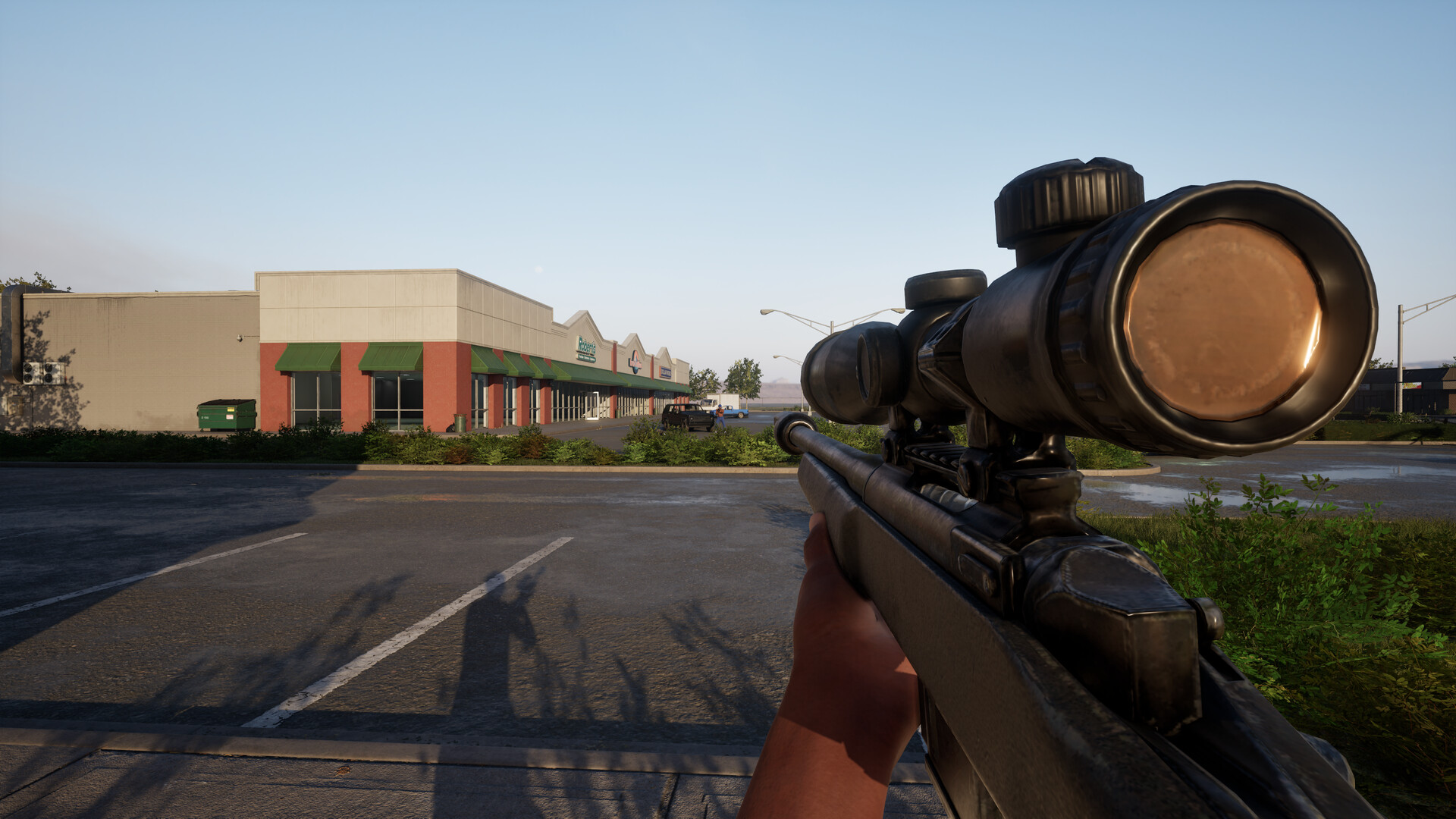
Official screenshot · Source: Steam store
You can grab it on Steam for $5.99, and it launched with a 10% introductory discount. The game supports both online PvP and single-player matches against bots, which makes it a great sandbox for learning the ropes before jumping into lobbies with experienced players.
A quick note from the developers: the game is a work of fiction meant purely for entertainment, and Trapstar Games states it does not promote real-life gang violence. The content is rated for mature audiences due to violence, blood effects, crude humor, and profanity.
Getting Started: Setup and Requirements
Before you queue up, make sure your PC can actually run the game. Here's what you need:
| Requirement | Minimum | Recommended |
|---|---|---|
| OS | Windows 10 64-bit (1909+) | Windows 11 64-bit |
| CPU | Intel Core i5-9600K / Ryzen 5 3600 | Intel Core i5-12600K / Ryzen 5 7600 |
| RAM | 8 GB | 16 GB |
| GPU | GTX 1660 / RX 5600 XT 6 GB | RTX 3060 Ti / RTX 4060 8 GB |
| Storage | 25 GB | 30 GB |
| DirectX | Version 12 | Version 12 |
A few setup tips worth following:
- Storage matters: Clear out 25–30 GB before installing so patches don't leave you scrambling.
- Controller support: The game works with Xbox controllers, so feel free to play on a gamepad if that's your comfort zone.
- Anti-cheat: Hood Warfare 2 uses Easy Anti-Cheat alongside kernel-level protection, so expect the usual anti-cheat prompt at launch.
- Voice chat: Patch 1.0.10 added voice chat for the whole lobby or just your team. Consider muting global chat if you'd rather avoid the rowdier side of the community — player experience suggests lobbies can get, let's say, colorful.
Best Beginner Settings
Based on community reports and the fast time-to-kill in this game, most new players benefit from:
- Lowering graphics settings slightly for a stable frame rate (the game is chaotic, and frame drops are fatal).
- Turning on any available spawn protection awareness — Patch 1.0.10 adjusted spawns specifically so players stop dying instantly on respawn.
- Playing a few bot matches first to learn map routes without pressure.
Understanding the Six Game Modes
The fastest way to answer "how do I play this thing?" is to understand what each mode actually wants from you. Here's a full breakdown:
| Mode | Objective | Difficulty for New Players |
|---|---|---|
| Turf War | Control territory around the map; earn points for turf your gang holds | Moderate |
| GangBang | Classic team deathmatch; most kills wins | Easy — best starting mode |
| Chaos | Free-for-all; no teams, most kills wins | Hard — everyone hunts you |
| Hit A Lick | Steal the enemy's bag and return it to your hood while defending your own | Moderate |
| Destroy The Block | Plant or defuse a bomb; one life per round | Hard — tactical, CS-style |
| Chain Snatch | Kill enemies, snatch their dropped chains for points; recover teammates' chains | Moderate |
Start with GangBang. It's a pure team shootout with no objectives to juggle, so you can focus on gunplay and learning map layouts. Once you're comfortable, branch into Turf War and Chain Snatch, which reward map awareness. Save Destroy The Block for last — with only one life per round, mistakes are punishing and experienced players will punish hesitation.
Maps and Positioning Tips
Hood Warfare 2 launched with a fresh set of maps, each with distinct layouts:
| Map | Environment | Key Tip |
|---|---|---|
| Downtown | Urban streets, tight corners | Watch rooftops and alleys |
| The Suburbs | Residential blocks | Use houses for cover and flanks |
| The Trenches | Gritty close-quarters terrain | Expect short-range fights |
| Chicago Mall | Indoor/outdoor hybrid | Control escalators and entrances |
| Supermarket | Very small map | Per community reports, TTK here is extremely short — never stand still |
The developers noted in Patch 1.0.10 that some maps are inherently small, which keeps fights fast but unforgiving. On compact maps like Supermarket, pre-aim corners and keep moving. On larger maps, learn the indoor and outdoor routes — the store description emphasizes that every map has different paths and positions worth mastering.
General Combat Tips
- Keep moving. Standing still is death in a game this fast, especially post-patch spawn systems.
- Learn drive-by locations. Some maps feature drive-by spots, and Patch 1.0.10 adjusted several of them — familiarize yourself so you're not ambushed.
- Use the ping/report tools. If you suspect a cheater, use the Report feature in the pause menu; the devs review reports regularly and ban confirmed cheaters.
Progression: Leveling, Weapons, and Skins
Progression in Hood Warfare 2 is refreshingly straightforward:
| Progression Type | How You Earn It |
|---|---|
| Reputation/Levels | Simply playing matches |
| Weapons & Equipment | Unlocked by leveling up |
| Attachments | Completing weapon challenges |
| Weapon Skins | Getting kills with each specific gun |
This means every match counts toward something, even losses. If you want to level efficiently:
- Focus on objective modes. Turf War and Hit A Lick keep you earning even when your aim is off.
- Grind one gun at a time. Attachments and skins are tied to per-weapon challenges and kill counts, so sticking with a favorite accelerates unlocks.
- Use bot matches for challenges. Since you can set up custom matches with bots filling the teams, you can knock out awkward weapon challenges in a low-stress environment.
Community players have already hit max level within the first week of launch — one player showcased the game's first max-level account with a gold AK-47 — so dedicated grinders can move through progression quickly.
Playing Solo, With Friends, or Against Bots
One of Hood Warfare 2's underrated features is its flexibility. You have three ways to play:
| Playstyle | How to Set It Up | Best For |
|---|---|---|
| Online PvP | Join a public match | Real competition, leveling fast |
| Party with friends | Invite friends, fill empty slots with bots | Casual co-op sessions |
| Solo vs. bots | Custom match with your chosen map, mode, and settings | Learning maps and testing guns |
The bot-match option deserves special mention for beginners. You choose the map, mode, and match settings, then add bots to fill out teams. It's essentially a private training lobby — perfect for practicing Destroy The Block without the pressure of one-life rounds against real opponents.
The game also supports Family Sharing on Steam, so a friend can try it from your library before committing to the $5.99 purchase. Steam Deck compatibility is currently listed as unknown, so temper expectations if you're planning handheld play.
FAQ
Is Hood Warfare 2 good for FPS beginners? Yes. While the time-to-kill is fast, the bot match system lets you learn maps and modes at your own pace before facing real lobbies. Starting with GangBang mode keeps things simple.
How much does Hood Warfare 2 cost? The game is $5.99 on Steam, with a 10% launch discount bringing it to $5.39 through October 15, 2026.
What's the best game mode for new players in Hood Warfare 2? GangBang (team deathmatch) is the best starting point. Once you're comfortable with the gunplay, move to Turf War for objective play, then try Chain Snatch and Hit A Lick.
Can you play Hood Warfare 2 offline? Not entirely offline, but you can set up matches against bots where you control the map, mode, and settings — effectively a single-player experience since the game also carries the Single-player tag.
Learning how to play Hood Warfare 2 mostly comes down to picking the right modes early, respecting how fast fights end, and grinding your favorite weapons for unlocks. Drop in, stay mobile, and spin the block — the streets of Chicago are waiting.
Related Guides
Hood Warfare 2 How to Play With Friends: Full Guide
Learn how to play Hood Warfare 2 with friends — setting up private lobbies, using voice chat, best co-op modes, and fixes for common invite issues.
Hood Warfare 2 Killstreaks Guide: Snitch & More Explained
Everything we know about Hood Warfare 2 killstreaks, including the viral Snitch UAV, the drive-by streak, and tips to earn rewards faster.
Hood Warfare 2 Weapons: Unlock Guide, Attachments & Skins
How Hood Warfare 2 weapons work: leveling, attachment challenges, skin unlocks, and the best loadout tips for every game mode.